API Keys & Authentication
API keys are the primary authentication method for SDKs and REST API calls. Each key is tied to a specific account and subscription tier.
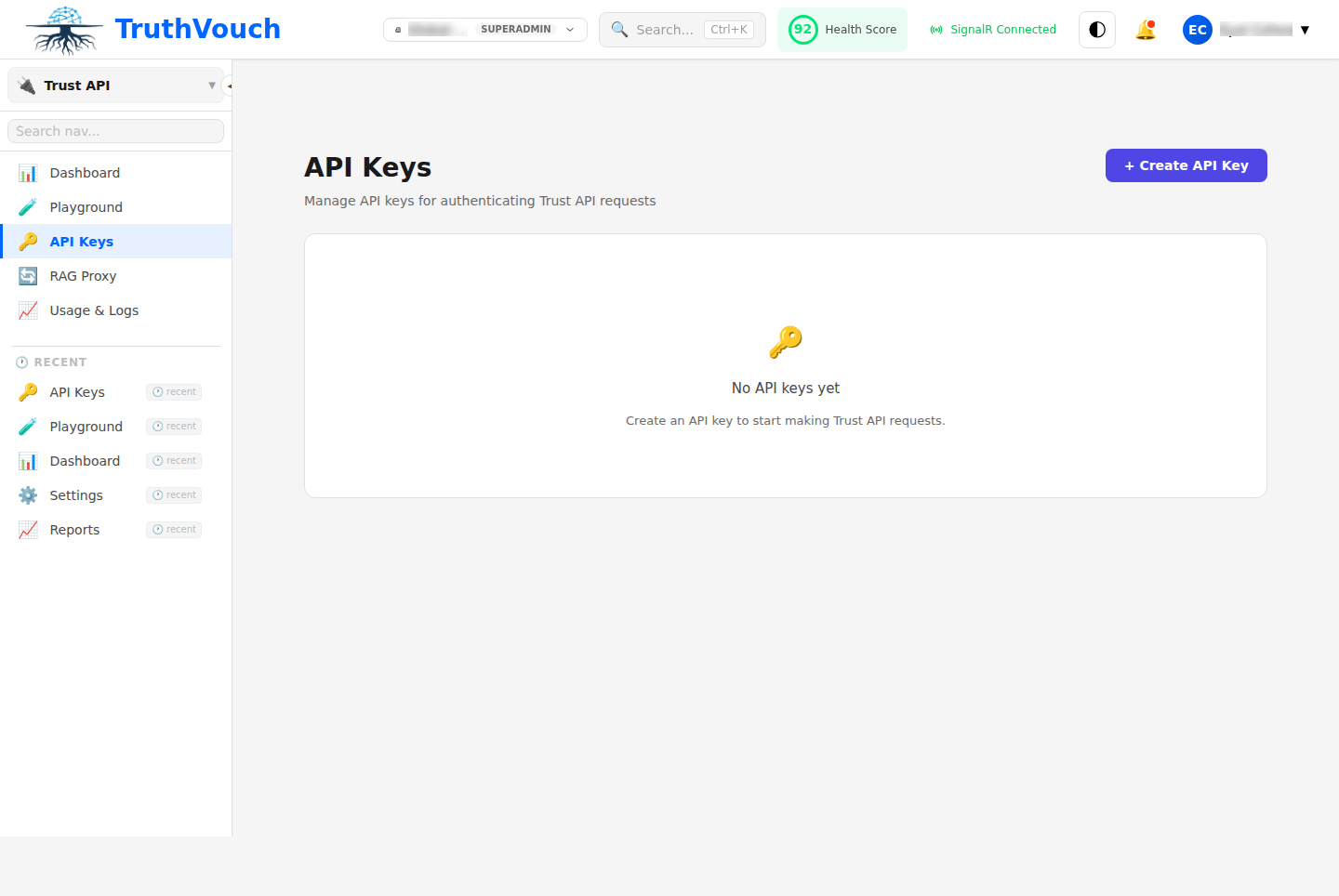
Creating an API Key
- Go to Settings → API Keys
- Click Generate New Key
- Choose a key type (Live or Test)
- Give it a name (e.g., “Production API Server”)
- Click Create and copy the key immediately — it will not be shown again
- Store it securely in environment variables, never in source code
Key Types
Live Keys
Production keys tied to your billing account. Use these for production deployments.
- Prefix:
tv_live_ - Rate limits: Based on your subscription tier
- Restrictions: None
- Billing: Charges incurred
Example: tv_live_7e9c4a2b8f1d5c3a9e7b2f4d6c1a8e3b
Test Keys
Sandbox keys for development and testing. Calls are not charged and governance checks are mocked.
- Prefix:
tv_test_ - Rate limits: 60 requests/min, 100 burst
- Restrictions: Cannot exceed sandbox tier limits
- Billing: No charges
Example: tv_test_1a2b3c4d5e6f7g8h9i0j1k2l3m4n5o6p
Using API Keys
With SDKs
Python:
from truthvouch import TruthVouchClient
client = TruthVouchClient(    gateway_url="https://gateway.truthvouch.com",    api_key="tv_live_7e9c4a2b8f1d5c3a9e7b2f4d6c1a8e3b")
TypeScript:
import TruthVouch from '@truthvouch/sdk';
const tv = new TruthVouch({  apiKey: 'tv_live_7e9c4a2b8f1d5c3a9e7b2f4d6c1a8e3b'});
.NET:
builder.Services.AddTruthVouch(options =>{ options.ApiKey = "tv_live_7e9c4a2b8f1d5c3a9e7b2f4d6c1a8e3b"; options.GatewayUrl = "https://gateway.truthvouch.com";});With REST API
Include the key in the Authorization header:
curl -X POST https://api.truthvouch.com/api/v1/governance/scan \ -H "Authorization: Bearer tv_live_7e9c4a2b8f1d5c3a9e7b2f4d6c1a8e3b" \ -H "Content-Type: application/json" \ -d '{"prompt":"...","response":"..."}'Alternatively, use the X-API-Key header:
curl -X POST https://api.truthvouch.com/api/v1/governance/scan \ -H "X-API-Key: tv_live_7e9c4a2b8f1d5c3a9e7b2f4d6c1a8e3b" \ -H "Content-Type: application/json" \ -d '{"prompt":"...","response":"..."}'Environment Variables
Always store API keys in environment variables, never hardcode them:
TRUTHVOUCH_API_KEY=tv_live_7e9c4a2b8f1d5c3a9e7b2f4d6c1a8e3bSDKs automatically check TRUTHVOUCH_API_KEY:
import osfrom truthvouch import TruthVouchClient
client = TruthVouchClient(    gateway_url="https://gateway.truthvouch.com",    api_key=os.environ["TRUTHVOUCH_API_KEY"]  # Reads from env)
Security Best Practices
1. Never Hardcode Keys
Always use environment variables or secure secret management:
# BADclient = TruthVouchClient(api_key="tv_live_...")
# GOODimport osclient = TruthVouchClient(api_key=os.environ["TRUTHVOUCH_API_KEY"])
2. Use Least Privilege
Create separate API keys for different services:
- One for production API servers
- One for CI/CD pipelines
- One for batch processing jobs
- One for each microservice that calls TruthVouch
This way, if one key is compromised, only that service is affected.
3. Rotate Keys Regularly
Rotate your production API keys every 90 days:
- Generate a new API key
- Update your running services with the new key
- Wait for all requests to complete (check logs for staleness)
- Delete the old key from Settings → API Keys
- Store the rotation date for audit purposes
4. Restrict Key Access
- Store keys in a secrets vault (HashiCorp Vault, AWS Secrets Manager, etc.)
- Use service account roles in CI/CD (GitHub Actions secrets, GitLab CI variables)
- Never commit keys to version control (use
.gitignorefor.envfiles) - Enable audit logging to track API key usage
5. Monitor for Leaks
If a key is accidentally committed to a public repository:
- Immediately delete the key from Settings → API Keys
- Generate a new key and update all services
- Scan git history for any uses of the old key
- Contact support to report the incident
Revoking Keys
To revoke an API key:
- Go to Settings → API Keys
- Find the key in the list
- Click the Delete button
- Confirm the deletion
Revocation is immediate — any requests using the deleted key will be rejected with a 401 Unauthorized error.
Key Rotation Strategy
For zero-downtime key rotation:
- Generate a new key
- Deploy the new key to all services with a feature flag or rolling deployment
- Monitor for successful requests with the new key
- Once all services are using the new key, delete the old one
- Keep the rotation date in your audit log
Troubleshooting
”401 Unauthorized”
The API key is missing, invalid, or revoked.
Check:
- Is the key in the correct header? (
Authorization: BearerorX-API-Key) - Is the key spelled correctly?
- Has the key been revoked? Check Settings → API Keys
- Is the key expired? (Keys don’t expire, but they can be deleted)
“403 Forbidden”
The API key is valid but doesn’t have permission for this operation.
Check:
- Are you using a Test key to access a restricted endpoint?
- Is your subscription tier sufficient? Check your plan limits
- Have you hit rate limits? Check the
X-RateLimit-Remainingheader
Rate Limit Errors
Getting 429 Too Many Requests?
Check:
- Your subscription tier rate limits (Settings → Billing)
- If using a Test key, remember the 60 req/min sandbox limit
- Use exponential backoff for retries (SDKs do this automatically)
API Key Audit Log
All API key operations are logged:
- Go to Settings → Audit Log
- Filter by API Key events
- View creation, deletion, and usage timestamps