Blueprint Studio
AI Blueprints are pre-built, battle-tested implementation plans for common AI use cases. TruthVouch automatically generates blueprints based on your assessment results, including governance requirements, technical architecture, team structure, timeline, budget estimates, and a risk mitigation checklist. Use them as your roadmap for AI projects.
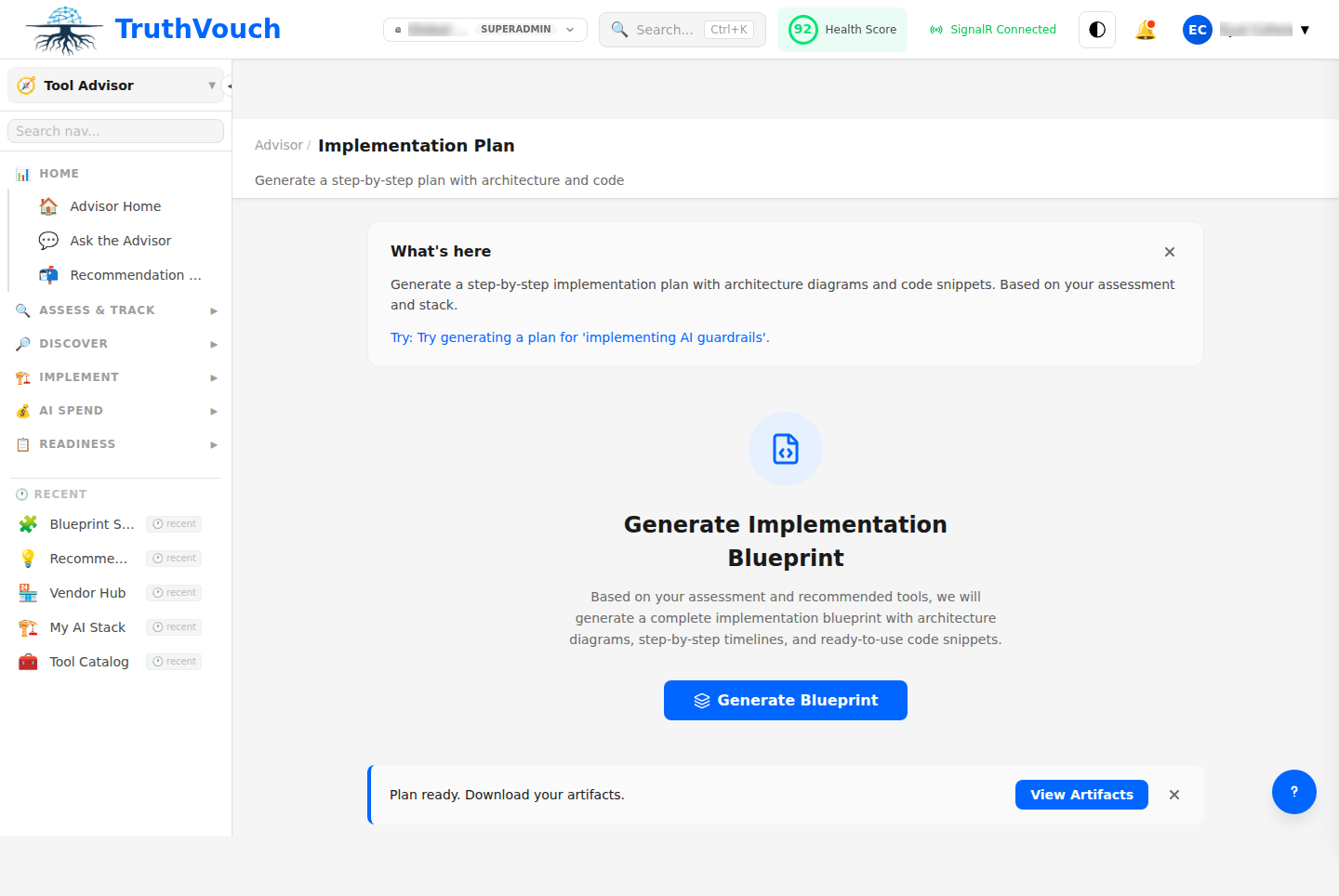
What’s in a Blueprint?
Each blueprint includes:
1. Executive Summary
- Use case overview and business case
- Expected ROI and timeline (3-6 months)
- Key risks and mitigation strategies
- Team and budget requirements
2. Governance Framework
- AI governance policy requirements
- Approval workflow for decisions
- Risk assessment template
- Vendor evaluation checklist
- Compliance mapping (GDPR, SOX, HIPAA, etc.)
3. Technical Architecture
- System components and integrations
- LLM selection criteria and comparison
- Data pipeline design
- Monitoring and observability setup
- Security and privacy controls
4. Implementation Roadmap
- Phase 1: Planning and setup (4-6 weeks)
- Phase 2: Pilot deployment (4-8 weeks)
- Phase 3: Production hardening (4-6 weeks)
- Phase 4: Operations and improvement (ongoing)
Each phase includes:
- Deliverables checklist
- Success metrics
- Dependencies and risks
- Go/no-go decision gates
5. Team Structure
- Core team roles (Product, Engineering, Governance, Ops)
- Estimated FTE per role
- Skill requirements
- External support (consultants, vendors)
- Training needs
6. Cost Estimates
- Software licenses and APIs
- Infrastructure and hosting
- Professional services
- Internal labor (FTE × salary)
- Contingency (10-20% buffer)
7. Risk & Mitigation
- Technical risks (model performance, data quality)
- Governance risks (compliance, audit readiness)
- Operational risks (team skills, vendor dependency)
- User adoption risks (change management)
Each risk includes mitigation strategy and responsible party.
Available Blueprints
Customer Service AI
Use Case: Chatbots and support automation using LLMs to handle customer inquiries.
Headlines:
- Deploy customer support agent in 6-12 weeks
- Typical cost: $150K-$300K (first year)
- Governance focus: Brand risk, hallucination detection
- Primary challenges: Handling out-of-scope questions, context limits
Key Sections:
- FAQ ingestion and knowledge base setup
- Escalation workflow (human handoff)
- Monitoring and correction loop
- Customer feedback integration
Data Analytics & Insights
Use Case: AI-powered data analysis and visualization for business intelligence.
Headlines:
- Build analytics agent in 8-12 weeks
- Typical cost: $200K-$400K (first year)
- Governance focus: Accuracy, data access control, PII protection
- Primary challenges: Context length for large datasets, statistical correctness
Key Sections:
- Data warehouse integration and security
- Query validation and fact-checking
- Visualization generation and approval
- Data freshness and update cadence
Document Processing & Extraction
Use Case: Automated document classification, data extraction, and routing.
Headlines:
- Production system in 6-10 weeks
- Typical cost: $100K-$250K (first year)
- Governance focus: Hallucination impact (errors cost downstream)
- Primary challenges: Document variation, multi-page context, format consistency
Key Sections:
- OCR and preprocessing pipeline
- Extraction accuracy validation
- Confidence scoring and manual review thresholds
- Audit trail and correction tracking
Content Generation & Personalization
Use Case: Generate marketing copy, product descriptions, personalized recommendations.
Headlines:
- Launch in 6-8 weeks
- Typical cost: $80K-$200K (first year)
- Governance focus: Brand consistency, claim verification
- Primary challenges: Tone/voice consistency, claim accuracy, user preference balancing
Key Sections:
- Brand voice guidelines and training
- Fact-checking against product DB
- A/B testing framework
- Human approval workflow
Code Generation & DevOps
Use Case: AI-assisted code generation, test writing, documentation.
Headlines:
- Integrate into dev workflow in 4-6 weeks
- Typical cost: $50K-$150K (first year)
- Governance focus: Security (generated code), license compliance
- Primary challenges: Language variation, security vulnerabilities, license conflicts
Key Sections:
- Code review and security scanning
- License compliance checking
- Test coverage validation
- Team training and adoption strategy
Regulatory & Compliance Assistance
Use Case: Automate compliance monitoring, policy analysis, and regulatory change detection.
Headlines:
- Operational in 8-12 weeks
- Typical cost: $150K-$350K (first year)
- Governance focus: Compliance accuracy, audit trail
- Primary challenges: Regulatory complexity, jurisdictional variance, false positives
Key Sections:
- Regulatory source integration
- Change detection and alerting
- Cross-regulation conflict detection
- Impact assessment workflow
Using a Blueprint
Step 1: Select Your Blueprint
Browse available blueprints, filter by:
- Use case (Customer Service, Analytics, etc.)
- Complexity (Simple, Moderate, Complex)
- Time to value (Quick wins <3 months, Standard 3-6 months, Long-term 6-12 months)
- Budget range ($50K-$100K, $100K-$300K, $300K+)
Click View Blueprint to see full details.
Step 2: Assess Fit
Review:
- Business case — Does this ROI align with our goals?
- Timeline — Can we allocate resources for 3-6 months?
- Governance requirements — Are we ready for compliance demands?
- Technical requirements — Do we have the infrastructure/skills?
Step 3: Customize (Optional)
Click Customize This Blueprint to adjust:
- Team structure — Reduce or expand FTE allocations
- Timeline — Accelerate or spread out phases
- Governance requirements — Add/remove controls based on your policies
- Technology choices — Swap LLM providers or infrastructure
- Budget — Remove optional features (e.g., advanced monitoring)
Your customized version is saved as a Project Plan in your workspace.
Step 4: Create Project
Click Start Project to:
- Create a project in your workspace
- Generate detailed implementation schedule (Gantt chart)
- Auto-populate team assignments
- Create task list and dependencies
- Link to governance documents and checklists
Step 5: Execute
Use the generated project plan to:
- Track phases and deliverables
- Manage team capacity
- Monitor budget and timeline
- Document governance decisions
- Track risk mitigation progress
Customization Examples
Example 1: Accelerated Timeline
Original: 18-22 weeks. Customized: 10-12 weeks.
- Reduce planning phase (4 weeks → 2 weeks)
- Run pilot and hardening in parallel (instead of sequential)
- Increase team size (add extra engineer)
- Trade-off: Less rigorous testing; higher risk of issues post-launch
Example 2: Reduced Budget
Original: $240K. Customized: $120K.
- Use open-source LLM instead of commercial API
- Reduce to 1 engineer (slower delivery)
- Skip external governance consultant (internal only)
- Remove advanced monitoring (basic alerts only)
- Trade-off: Less hallucination detection; longer development; fewer features
Example 3: Enhanced Governance
Original: Standard compliance baseline. Customized: Enterprise compliance.
- Add SOC 2 audit requirement
- Implement continuous hallucination monitoring
- Require quarterly governance reviews
- Add customer data encryption and privacy controls
- Trade-off: Higher cost ($60K+); longer timeline; stricter controls
Blueprint Versions
Blueprints are updated quarterly based on:
- New regulations — EU AI Act updates, SOX changes, etc.
- Vendor updates — New LLM models, API improvements
- Lessons learned — Real deployments reveal new gotchas
- Cost trends — LLM pricing, infrastructure, talent costs
Each version is dated; you can view historical versions for comparison.
Team Collaboration
Share Blueprint with Stakeholders
- Click Share on any blueprint
- Invite team members by email
- Set permissions (View only, or Edit)
- Add comments to discuss customizations
Track Decision History
Comments are logged with date and author, creating an audit trail of why you made customization decisions.
Related Topics
- Vendor Evaluation — How to select the right LLM vendor
- Migration Planning — Switching between vendors/providers
- Regulatory FAQ — Compliance requirements per jurisdiction
Next Steps
- Browse blueprints — Find use cases relevant to your org
- Assess fit — Does the timeline and budget work?
- Customize — Adjust team, timeline, budget to match reality
- Create project — Generate implementation plan
- Assign owners — Distribute tasks to your team
- Start execution — Begin Phase 1 (Planning)