Batch Certification
Batch Certification enables organizations to automatically certify multiple documents simultaneously, ideal for processing generated content at scale. This guide covers batch submission, monitoring, and result retrieval.
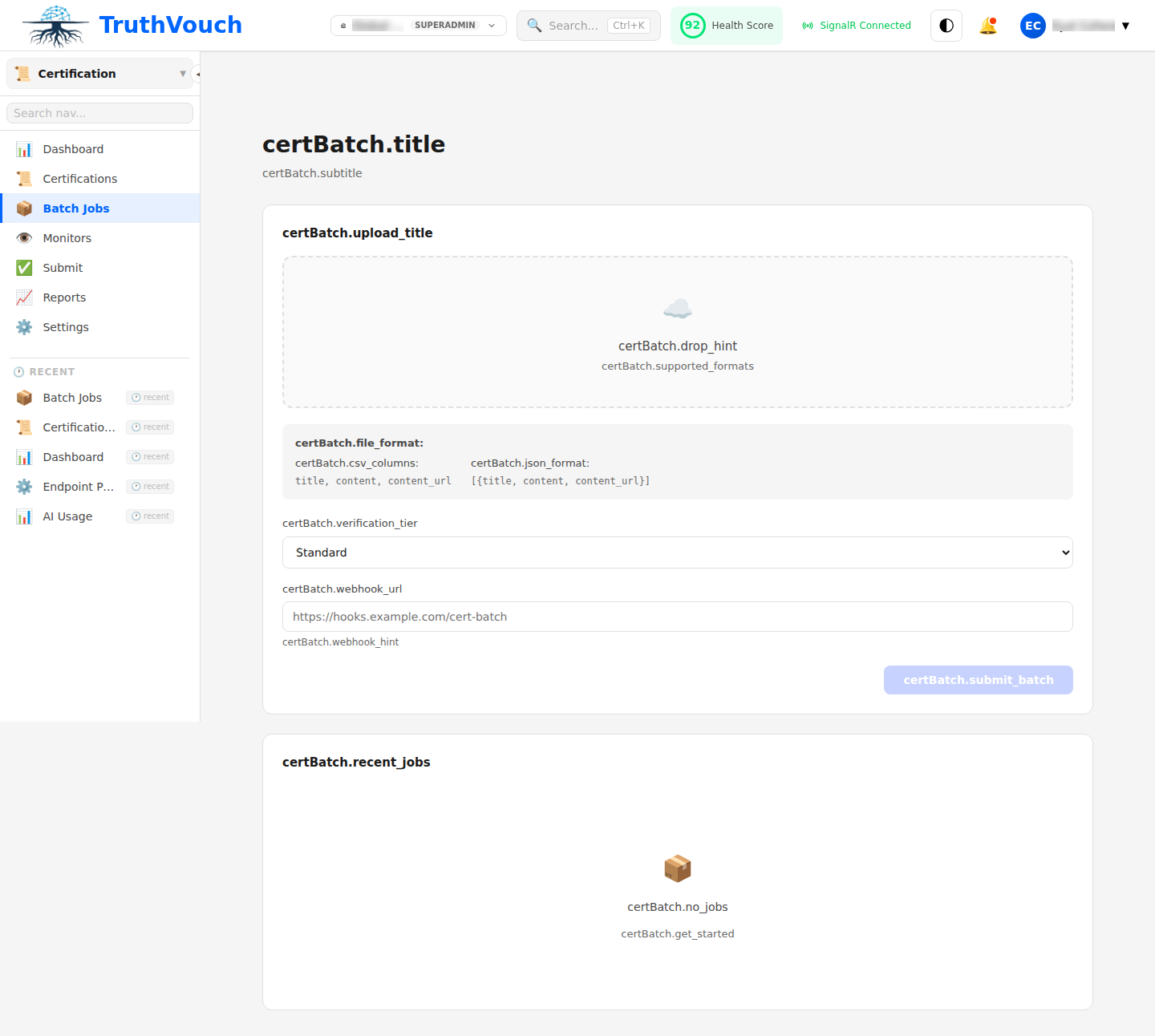
Batch Overview
Batch certification is optimized for:
- Marketing campaigns (certifying 50+ product guides simultaneously)
- Quarterly content refreshes (re-certifying existing materials)
- API-driven workflows (bulk processing from automated systems)
- Compliance reporting (certifying entire document sets for audits)
Batch Limits:
- Up to 500 documents per batch
- 10 MB total batch size
- 60-minute processing window
Creating a Batch
Via Dashboard
- Navigate to Certification → New Batch
- Click Add Documents → Upload files or paste content
- Configure batch settings:
- Batch Name: Identifier for tracking (e.g., “Q1-2024-Marketing”)
- Auto-Revoke On Change: Automatically revoke certificates if facts drift
- Expiry Duration: 30, 60, 90 days, or 1 year
- Click Start Batch Processing
Via API
from truthvouch import TruthVouch
client = TruthVouch(api_key="your-api-key")
# Prepare documentsdocuments = [    {        "id": "doc_001",        "content": "Product X specification sheet...",        "title": "Product X Specs",        "tags": ["product", "marketing"]    },    {        "id": "doc_002",        "content": "Product Y pricing guide...",        "title": "Product Y Pricing",        "tags": ["pricing"]    },]
# Submit batchbatch = client.certification.batch_submit(    documents=documents,    batch_name="q1-2024-certification",    auto_revoke_on_drift=True,    expiry_days=90)
print(f"Batch ID: {batch.id}")print(f"Status: {batch.status}")print(f"Documents: {batch.document_count}")
Monitoring Progress
Automatic Batch Status
Monitor batch processing status automatically:
batch = client.certification.get_batch(batch_id="batch-123")
print(f"Status: {batch.status}")  # queued, processing, completed, failedprint(f"Progress: {batch.processed_count}/{batch.document_count}")print(f"Estimated Time: {batch.estimated_time_remaining}s")
Status Stages:
- Queued: Waiting to start processing
- Processing: Documents being verified
- Completed: All documents processed (may have individual failures)
- Failed: Entire batch failed (unusual)
Dashboard Monitoring
- Navigate to Certification → Batches
- Click batch name to view details:
- Real-time progress bar
- List of documents with individual status
- Estimated completion time
- View results as they complete (streaming)
Handling Results
Retrieve Batch Results
Once processing completes:
# Get batch with resultsbatch = client.certification.get_batch(batch_id="batch-123")
# Iterate through certificatesfor cert in batch.certificates:    print(f"Document: {cert.document_id}")    print(f"Certificate ID: {cert.id}")    print(f"Trust Score: {cert.trust_score}/100")    print(f"Status: {cert.status}")  # issued, failed, requires_review    if cert.status == "failed":        print(f"Error: {cert.error_message}")
Export Results
Export batch results in multiple formats:
CSV Export:
csv_data = client.certification.export_batch_csv(batch_id="batch-123")with open("batch-results.csv", "w") as f: f.write(csv_data)JSON Export:
json_data = client.certification.export_batch_json(batch_id="batch-123")Spreadsheet Export:
- Dashboard: Click Export → Excel
- Auto-downloads with score, claim count, status, certificate ID
Partial Failures
If some documents fail while others succeed:
In Dashboard:
- Failed documents shown in red
- Review error messages for each
- Optionally re-submit failed documents as new batch
Via API:
results = client.certification.get_batch_results(batch_id="batch-123")
failed = [r for r in results if r.status == "failed"]if failed:    # Re-submit failures    retry_docs = [        {"id": f.document_id, "content": f.original_content}        for f in failed    ]    retry_batch = client.certification.batch_submit(        documents=retry_docs,        batch_name=f"retry-{batch_id}"    )
Common Batch Workflows
Pre-Launch Campaign Certification
# Marketing prepares 50 documents for new product launchbatch = client.certification.batch_submit(    documents=marketing_docs,    batch_name="launch-2024-q2",    auto_revoke_on_drift=True,    expiry_days=90)
# Wait for completionimport timewhile batch.status != "completed":    time.sleep(10)    batch = client.certification.get_batch(batch_id=batch.id)
# Check all passedpassing = [c for c in batch.certificates if c.trust_score >= 75]if len(passing) == len(batch.certificates):    print("All content certified, safe to launch")else:    print(f"Review {len(batch.certificates) - len(passing)} documents")
Quarterly Content Refresh
# Re-verify all content to catch any driftexisting_docs = client.certification.get_certificates_by_tag("active")
batch_docs = [    {        "id": cert.document_id,        "content": cert.original_content,  # content stored in certificate        "tags": cert.tags    }    for cert in existing_docs]
refresh_batch = client.certification.batch_submit(    documents=batch_docs,    batch_name="q1-2024-refresh")
# Review new scores for driftresults = client.certification.get_batch_results(refresh_batch.id)drifted = [r for r in results if r.drift_detected]print(f"Found {len(drifted)} documents with drift")
Batch Notifications
Configure notifications for batch events:
Dashboard Settings:
- Navigate to Settings → Notifications
- Enable “Batch completion alerts”
- Choose: email, Slack, or both
API Webhooks:
client.webhooks.subscribe( event="certification.batch.completed", url="https://example.com/hooks/batch-complete", batch_name_pattern="q*-*" # optional filter)Next Steps
- Submitting: Learn about single vs batch submission
- Results: Understand and act on batch results
- Automation: Build batch processing into your pipeline