What is Sentinel?
Overview
Sentinel Agent is a lightweight desktop application that automatically monitors your employees’ AI tool usage. It logs which AI services they access (ChatGPT, Claude, Copilot, etc.), what they’re doing, and automatically enforces policies.
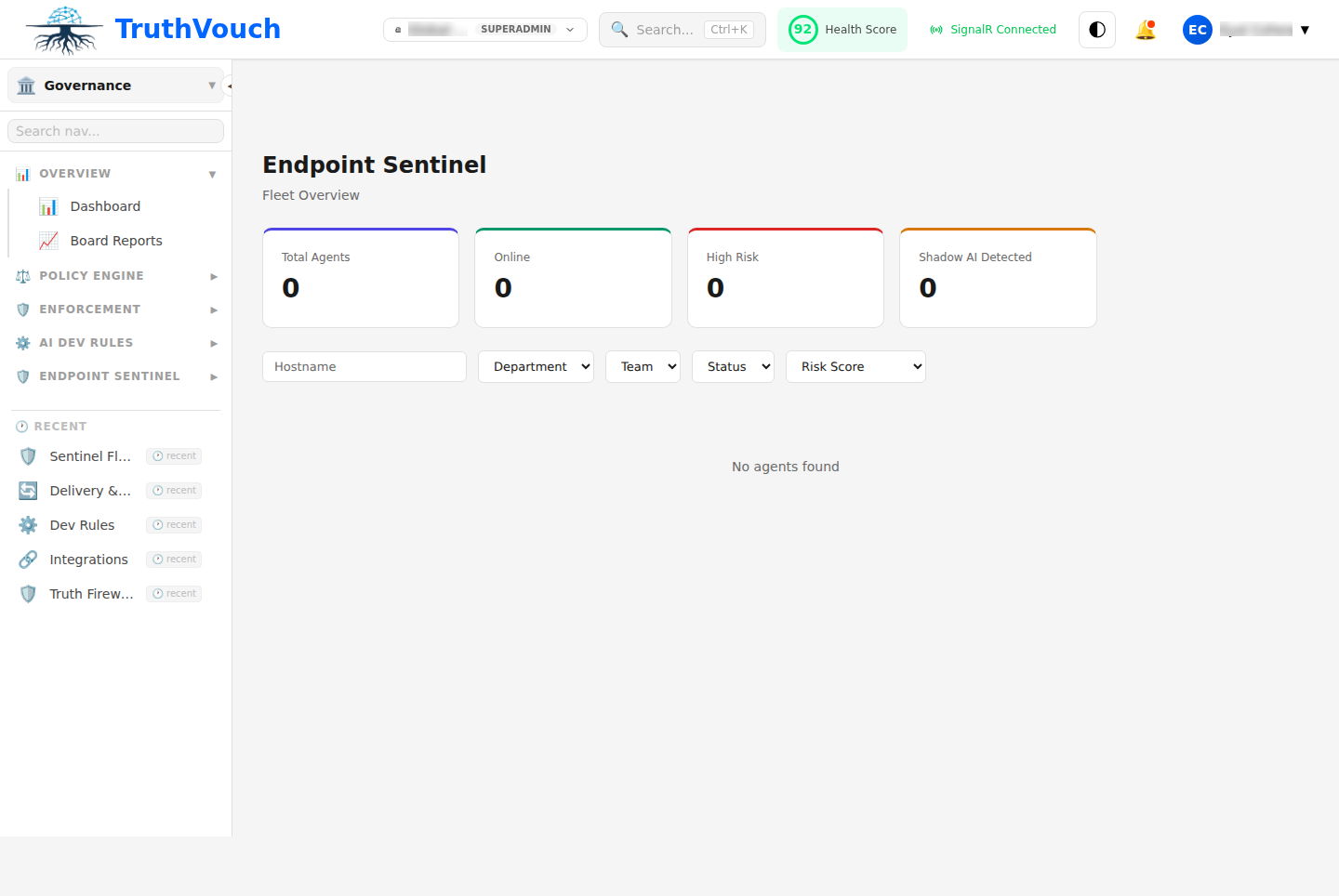
Use Cases:
- Prevent employees from pasting confidential data into ChatGPT
- Audit which employees use AI and how
- Enforce approved AI tools only
- Prevent data loss and IP theft
How Sentinel Works
- Install: Deploy to Windows, Mac, or Linux
- Monitor: Observes all AI tool access (ChatGPT, Claude, etc.)
- Enforce: Blocks unapproved tools or sensitive data
- Report: Central dashboard shows usage
Employee → ChatGPT ↓Sentinel Agent (local) ↓[Policy Check: Is ChatGPT approved?] ↓If approved: Allow + LogIf blocked: Block + Alert admin ↓TruthVouch Dashboard (admin view) ↓Reports & alertsSentinel vs. Firewall
| Feature | Sentinel | Firewall |
|---|---|---|
| Scope | Desktop employee usage | Application/API usage |
| Tools | ChatGPT, Claude, Copilot web | Backend AI models |
| Deployment | Desktop app | Proxy/sidecar |
| Data | Screenshots, URLs, copy/paste | Requests/responses |
| Use Case | Employee governance | Application governance |
Key Features
Usage Monitoring
Track which employees use AI and when:
Dashboard shows:- Users: 150 active last month- Tools: ChatGPT (80%), Claude (15%), Copilot (5%)- Time: Average 2.3 hours/week per user- Trending: Usage up 15% month-over-monthPolicy Enforcement
Block employees from using unapproved tools or pasting sensitive data.
Policy: "Prevent PII to ChatGPT" Action: If employee tries to paste SSN → Block Alert: Admin notified Result: Data prevented from leaving companyApproved Tool Whitelist
Only allow specific AI tools:
Approved:  ✓ ChatGPT-4 (internal account)  ✓ Claude (enterprise)  ✓ GitHub Copilot (licensed)
Blocked:  ✗ ChatGPT free tier  ✗ Any other LLM
Data Loss Prevention (DLP)
Block sensitive data from being sent to public AI:
Sensitive patterns detected:  - Credit cards  - Passwords  - Source code  - Customer PII
Action: Block input to public LLMs
Compliance Reporting
Pre-built reports for audits:
Reports:- Who used AI and when- What data was blocked- Policy violations- Certified safe usageDeployment Options
SaaS Managed
TruthVouch hosts everything:
- Easy installer (MSI, DMG, deb)
- Auto-updates
- Cloud-based management
- No infrastructure required
Best for: Most organizations, quick deployment
Self-Hosted
Deploy on your infrastructure:
- Full control
- Air-gapped possible
- Custom integrations
- Manage updates yourself
Best for: Highly regulated, strict data residency
Installation
Choose your platform:
Installation takes <5 minutes.
Policy Configuration
Set up policies before rollout:
- Go to Governance → Sentinel → Policies
- Approved Tools: List what’s allowed
- DLP Rules: What data to block
- Scope: Which users/departments
- Actions: Block vs. warn
- Deploy to devices
Example Policy:
Name: "Standard Employee Policy"Approved Tools:  ✓ ChatGPT-4 (company account)  ✓ Claude (via TruthVouch)
Blocked:  ✗ ChatGPT free tier  ✗ Any unauthorized LLM
DLP Rules:  - Block: SSN, passwords, API keys, credit cards  - Allow: General questions, public information
Scope: All employees except IT departmentAction: Block (not just warn)
Monitoring & Reporting
Central dashboard to see all usage:
-
Go to Governance → Sentinel → Dashboard
-
See metrics:
- Active users
- Tool usage breakdown
- Policy violations
- DLP blocks
- Top users/tools
-
Generate reports for compliance:
- Weekly usage summary
- Monthly compliance report
- Incident investigation
Employee Experience
Employees see transparent enforcement:
Normal Use:
- Employee opens approved tool
- Sentinel allows
- Work continues
Blocked Attempt:
- Employee tries to use unapproved tool
- Sentinel blocks with message: “This tool is not approved by your organization”
- Option to request access (if configured)
DLP Block:
- Employee tries to paste credit card into ChatGPT
- Sentinel blocks: “Sensitive data detected. This action is not allowed.”
- Data is not sent anywhere
Integration
Okta/AD Integration
Automatically get user lists and groups:
Okta Group: Designers → Assigned policy: "Design Team Policy" → Approved tools: ChatGPT-4, Claude → DLP: Block code, block passwordsSlack Notifications
Get alerts on important events:
Channel: #security-alertsMessage: "john@company.com attempted to paste company password into ChatGPT - BLOCKED"SIEM Integration
Send logs to security systems:
Splunk/ELK receives:- All policy violations- Tool usage- DLP blocks- Searchable & alertable