How Corrections Work
Corrections automatically fix hallucinations by deploying accurate information to AI systems. Learn the full pipeline from detection through verification, correction methods, approval workflows, and best practices.
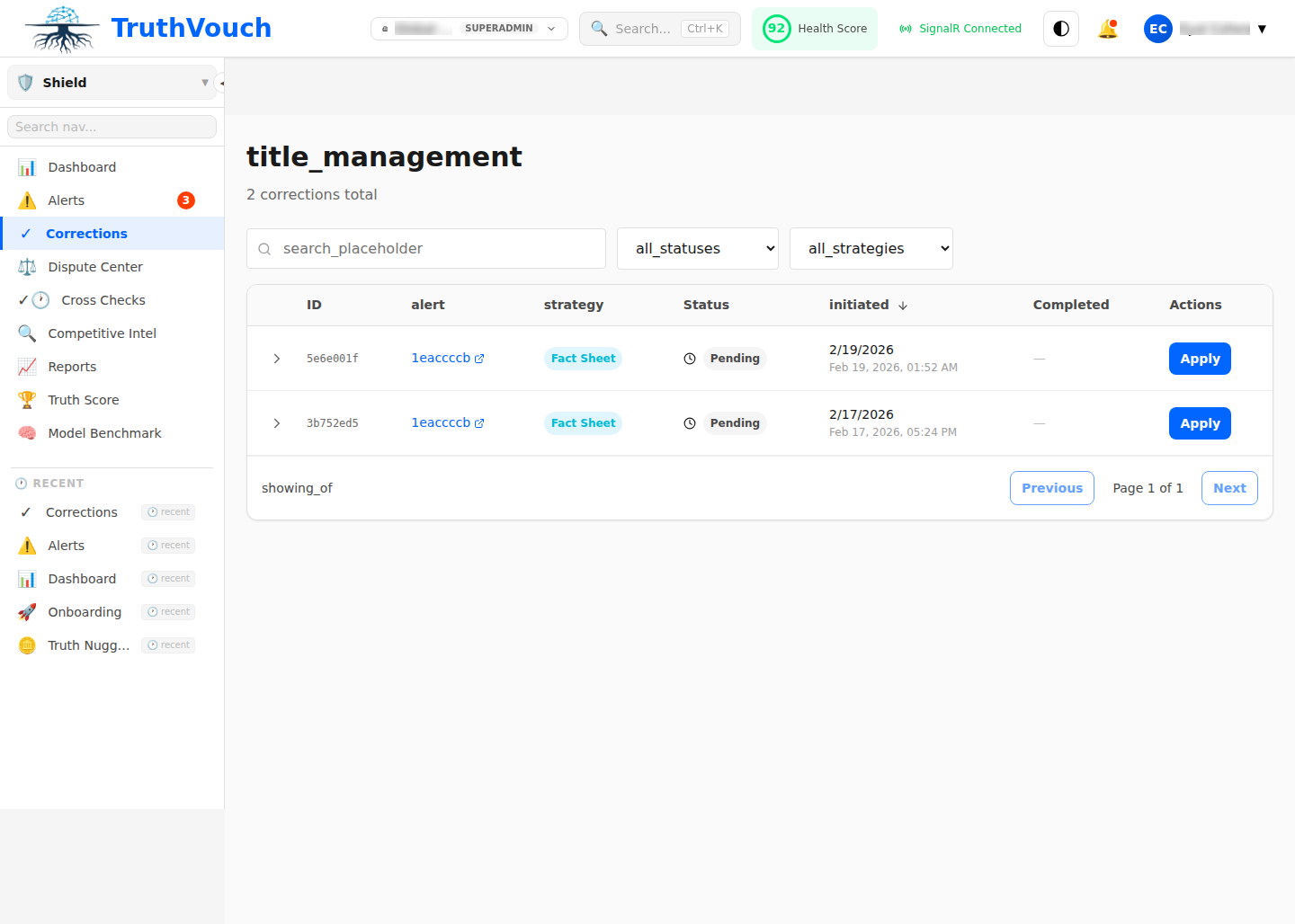
The Correction Pipeline
Overview
When Shield detects a hallucination, the correction pipeline follows these steps:
DETECT → GENERATE → APPROVE → DEPLOY → VERIFY → RESOLVETimeline: Typically 4-24 hours from detection to resolved (faster if auto-approved)
Step-by-Step
1. Detect Hallucination
Shield identifies AI response contradicts your Truth Nugget:
- Natural Language Inference (NLI) detects contradiction
- Confidence threshold ≥60% (moderate to high confidence)
- Optionally cross-check against multiple AI engines to increase confidence
Status: Detected
2. Generate Correction
System generates corrected information using your Truth Nugget:
Method A: Neural Fact Sheet (Recommended)
- Creates AI-optimized summary of correct fact
- Includes context, examples, sources
- Deployed to vector DB for future queries to use as context
- Teaches AI the right answer
Method B: Direct Response
- Direct replacement text for the hallucination
- Some LLM APIs support this; many don’t
- Used alongside Neural Fact Sheet
Method C: Prompt Engineering
- Refines system prompt to prevent error
- Adds guardrails or instructions to prevent hallucination
- Slower to deploy; affects all future requests
Default: Method A (Neural Fact Sheet)
Status: Correction Generated
3. Approve Correction
Correction awaits approval based on configuration:
Auto-approval (if configured):
- Low-severity alerts + high confidence → Automatically approved
- No human review needed (fast)
- Logged for audit trail
Manual approval (default):
- Fact owner reviews and approves correction quality
- Approves, requests changes, or dismisses
- Response SLA varies by severity (Critical: 15min, High: 1hr, Medium: 4hr, Low: 24hr)
Status: Pending Approval → Approved or Dismissed
4. Deploy Correction
Approved correction deployed to production:
Deployment target:
- Neural Fact Sheets → Vector DB / knowledge base
- Accessible to all monitored AI engines (OpenAI, Anthropic, Google, etc.)
- Injected into AI’s context on future queries
Deployment time: 15-30 seconds (typically)
Status: Deploying → Deployed
5. Verify Effectiveness
Shield re-checks if correction worked:
Verification runs automatically:
- 24-72 hours after deployment
- Same AI engine re-queried with same/similar prompt
- Response compared to Truth Nugget
- Confidence measured: is hallucination fixed?
Outcomes:
- Verified (95% of cases): AI now correct
- Partially Verified: Correct on some variations; might need refinement
- Unverified: Still hallucinating; requires investigation
Status: Verifying → Verified or Escalated
6. Resolve
Alert marked resolved with final status:
Possible final statuses:
Resolved - Corrected & Verified— SuccessResolved - Dismissed— False positiveResolved - Nugget Updated— Our fact was wrong; we fixed itEscalated— Correction ineffective; manual investigation needed
Status: Resolved or Escalated
Correction Methods
Method A: Neural Fact Sheet
What it is: AI-friendly summary of a fact, embedded in LLM context
How it works:
- Fact sheet created from Truth Nugget (statement, context, examples, source)
- Converted to vector embedding
- Stored in vector database
- On future queries, relevant facts retrieved and injected into AI’s prompt
- AI uses fact sheet context to generate correct answer
Advantages:
- Works across all LLM providers
- Learns from your knowledge (improves over time)
- Can handle nuance and context
- Natural for AI to understand
Limitations:
- Takes 24-72 hours to verify
- Depends on fact sheet quality (poorly written sheets = worse results)
- LLM still might ignore facts (unlikely but possible)
Best for: Long-term, sustainable corrections to knowledge
Example:
Your Truth Nugget: "TruthVouch was founded in 2021"Generated Fact Sheet:  STATEMENT: TruthVouch was founded in 2021  CONTEXT: Founded by Eyal Chen and team at Stanford  EXAMPLES:    - "TruthVouch was founded in 2021"    - "In 2021, TruthVouch was established"  SOURCE: Company website, Inc.com profile
Deployment: Fact sheet added to vector DBFuture query: AI asked "When was TruthVouch founded?"Result: AI retrieves fact sheet, responds correctly: "TruthVouch was founded in 2021"
Method B: Direct Correction (API-dependent)
What it is: Direct instruction to AI to say something specific
How it works:
- Send correction directly to AI API (if supported)
- API applies correction to next response
- Immediate effect (no waiting for verification)
Advantages:
- Immediate deployment
- Works for non-repeating statements
- No fact sheet quality issues
Limitations:
- Only works if LLM API supports it
- Not all providers support this
- Doesn’t help with similar future queries
- Requires API integration
Best for: Quick fixes to one-off responses (rarely used)
Note: OpenAI, Anthropic, Google support different correction mechanisms. TruthVouch uses Method A (Neural Fact Sheet) by default as it’s most reliable across providers.
Method C: Prompt Engineering
What it is: Refinement of system prompt or context to prevent error
How it works:
- Analyze why hallucination occurred
- Add guardrails to system prompt
- Redeploy system prompt to monitoring system
- Future queries use refined prompt
Advantages:
- Targets root cause
- Can prevent entire classes of errors
- Works across all AI interactions
Limitations:
- Requires prompt engineering expertise
- Slower to test and verify
- May over-constrain AI (reduce creativity/capability)
- Not suitable for all hallucinations
Best for: Systemic issues (same type of error repeating)
Example:
Hallucination: AI invents product featuresRoot cause: Prompt doesn't mention "only discuss features from this list"Fix: Add to system prompt: "Only discuss features listed in [knowledge base].If a feature isn't listed, say 'I'm not familiar with that feature.'"Result: AI stops inventing featuresCorrection Workflows
Standard Workflow
1. Alert Created (hallucination detected)2. Assign to fact owner3. Owner reviews (15 min)4. Owner approves → Neural Fact Sheet deployed (30 sec)5. System verifies (24-72 hours)6. Alert resolved (verified successful)Total time: 24-72 hours
Expedited Workflow (Critical Alerts)
1. Alert Created + immediately escalate2. CEO/CTO notified via PagerDuty3. Fact owner reviews (5 min)4. Approval (2 min)5. Deployed (15 sec)6. Verification initiated (24-48 hours)7. ResolvedTotal time: < 10 minutes to deploy; 24-48 hours to verify
Auto-Approval Workflow (Low-Risk Items)
1. Alert Created2. Confidence ≥80% + Severity Low?3. Auto-approved (no human review)4. Deployed (30 sec)5. Verification (24-72 hours)6. ResolvedTotal time: 24-72 hours (no human delay)
Best Practices
1. Prioritize Corrections
Not all corrections are equal. Prioritize by:
- Impact: High-impact hallucinations (financial, brand, compliance) first
- Confidence: High-confidence corrections more likely to succeed
- Repeatability: Recurring hallucinations (same fact, multiple engines) get more ROI
Example priority:
- Critical hallucinations (High impact + High confidence)
- High-volume hallucinations (low impact but occurring frequently)
- Low-risk corrections (can auto-approve to save time)
- Low-priority items (batch and handle weekly)
2. Create High-Quality Fact Sheets
Quality matters:
- Clear statement (unambiguous)
- Rich context (explains nuance)
- Good examples (4+ variations)
- Credible sources (official, with dates)
See Neural Fact Sheets for detailed guidance.
3. Monitor Verification Rates
Track how many corrections actually work:
- Target: ≥90% verification rate
- Below target: Investigate why (fact sheet quality? AI limitations?)
- Improve fact sheets based on verification feedback
4. Batch Related Corrections
When same fact hallucinated multiple times:
- Approve once, deploy to all
- Saves time and effort
- Single fact sheet fixes multiple alerts
5. Keep Fact Sheets Current
Outdated fact sheets cause new hallucinations:
- Update quarterly (at minimum)
- Update immediately for time-sensitive facts (pricing, team, locations)
- Archive old versions
- Version-track all fact sheets
6. Learn from Ineffective Corrections
When verification fails:
- Review fact sheet: Is wording clear?
- Check AI engine documentation: Does it support RAG/context?
- Try different wording: Sometimes LLM is sensitive to phrasing
- Consider alternative method (prompt engineering vs. fact sheet)
Related Topics
- Auto-Correction — Detailed correction generation and approval
- Neural Fact Sheets — Creating high-quality fact sheets
- Correction History — Audit trail and effectiveness tracking
Next Steps
- Review recent corrections — What corrections have you deployed?
- Check verification rates — Are corrections working? (target: >90%)
- Improve fact sheets — For low-performing corrections
- Set up auto-approval — For low-risk items
- Monitor metrics — Track correction effectiveness monthly